


Parental Control - Kroha
4.6484.00 Reviews
App Specs
- Version
- 3.14.4
- Updated On
- License
- Free
- Downloads
- 1,000,000+
- Developer
- Parental Control Kroha
- Categories
- Parenting
- Platform
- Android
Screenshots

 Analysis by AppCompare
When my child starts using a device more independently, the real challenge is not simply deciding whether screen time is good or bad. It is working out what fits our family’s routine, then making those boundaries understandable and consistent. Parental Control - Kroha is a parenting app from Parental Control Kroha that gives families tools for managing device use, including screen-time limits and a child-focused mode. I see its best use as support for a conversation and a routine, rather than a substitute for either.
Start with the family routine, not the settings
Before changing anything, I would identify the specific pinch point: a child using a phone after bedtime, difficulty putting a tablet away before school, or uncertainty about what happens during unsupervised device time. That distinction matters because a broad restriction can create needless conflict when the real goal is much narrower. A parent who wants fewer evening arguments may get more value from a clear device-free period than from trying to supervise every online action.
Kroha’s focus on parental controls makes it relevant to families who want practical boundaries in one place. Its store profile has a 4.6 average from around 29,000 ratings, and it has passed one million installs. Those figures suggest it has found a substantial audience, though popularity alone cannot tell me whether its approach suits a particular child or household.
Easy Setup and User-Friendly Interface
First things first, setting up Parental Control - Kroha was a breeze. Once you download the app, it walks you through a straightforward setup process. You can easily sync it with your child’s device, whether they're using Android or iOS, which is super convenient. The interface is clean and intuitive, so even if you’re not tech-savvy, you’ll find it easy to navigate.
For a smoother start, I would decide in advance which device is the child’s and which limits are actually needed. That prevents setup from turning into a rushed negotiation while a child waits to use the phone. I would also explain the purpose before applying restrictions: what the limits cover, when they take effect, and how the child can ask for a change. With parental controls, the quality of the handoff matters as much as the settings themselves.
Comprehensive Monitoring Features
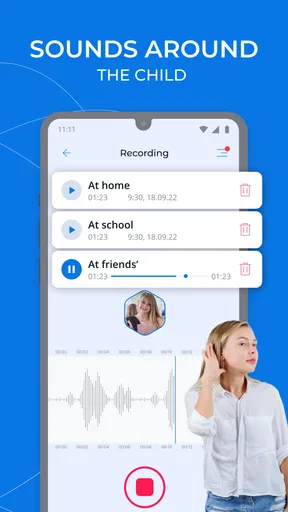
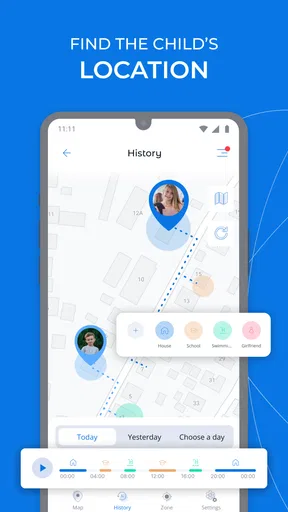
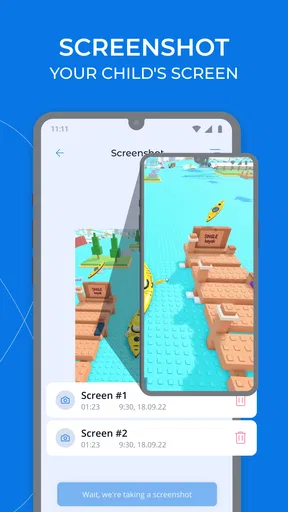
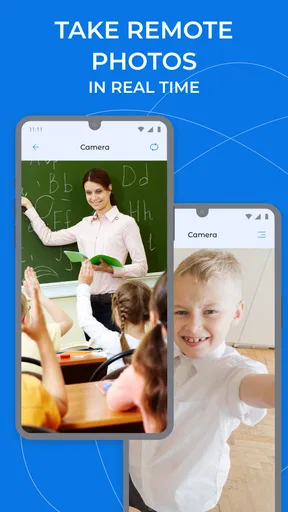
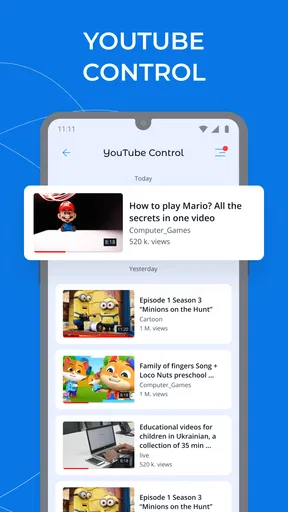
One of the standout features is the app’s ability to monitor a wide range of activities. You can keep track of app usage, browsing history, and even location tracking if you're into that level of oversight. The app gives you a detailed overview, which is great for those who want to ensure their kids are safe online. It’s like having a digital babysitter!
I would treat any overview as a prompt for a calm check-in, not as proof that something is wrong. For example, if a child has spent a long stretch in one app, the useful next step may be asking what they were doing and whether they lost track of time. That keeps the conversation grounded in context instead of making a dashboard feel like a verdict. Monitoring can help a parent notice patterns, but it cannot explain a child’s motives or replace direct communication.
Worth Reading Before You Choose

Flipboard Shows What News Apps Must Do Beyond the Feed

Switching to Android Auto Means Rethinking Your Driving Routine

Google Calendar Makes a Crowded Week Easier to Manage

Ludo King Makes the Most of the Minutes Between Plans

Baby Panda World Brings Quick Play to Modern Phones, but Its Game Library Feels Busy

ESPN’s Live Game View Makes Following Close Games Easier
One practical question is how much oversight a family truly needs. A parent concerned mainly about bedtime may prefer to use time controls and leave detailed monitoring aside. A parent managing a child’s first independent device may want a closer view while expectations are still being established. I would start with the least intrusive controls that solve the problem and revisit them as the child becomes more capable of managing their own use.
Customizable Controls
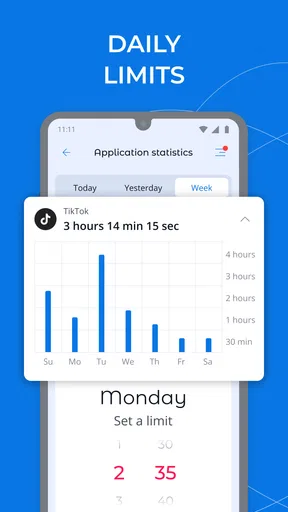
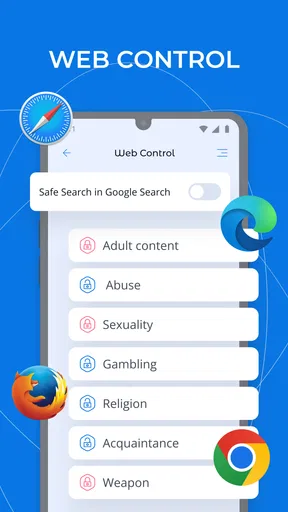
Another aspect I love about Kroha is the level of customization it offers. You can set screen time limits, schedule device-free hours, and even block specific apps or websites. This feature is particularly useful if you want to encourage more offline activities. Plus, with the ability to set different limits for weekdays and weekends, you can tailor the experience to fit your family's routine.
A useful way to apply those options is to separate predictable routines from exceptions. School nights, weekends, and a one-off travel day rarely need identical rules. If the family agrees on a regular schedule first, it becomes easier to decide whether an exception is genuinely necessary, rather than changing the whole setup whenever plans shift. I would keep the first version simple, then adjust only after seeing where the routine causes friction.
Blocking deserves the same restraint. It can make sense to prevent access to a particular distraction during homework or bedtime, but a long block list can turn everyday use into a stream of arguments about individual apps. I would explain why a restriction exists and give the child a way to raise a reasonable objection. The goal is not to win each settings dispute; it is to make the boundary predictable enough that the device stops being the centre of every transition.
Instant Alerts and Reports
Kroha also provides instant alerts for any suspicious activity, which is reassuring. If your child tries to access a blocked site or spends too much time on a particular app, you’ll get a notification. Additionally, the app offers detailed reports on your child’s device usage, making it easier to have informed discussions about screen time habits.
Notifications can be helpful, but I would avoid treating every alert as an emergency. A blocked attempt can be accidental, and a report is most useful when it points to a repeated pattern that the family can discuss. Setting aside a regular moment to look at usage together is often less stressful than reacting to each notice as it arrives. This also gives the child a chance to explain what was happening, which can prevent a technical signal from becoming an unfair accusation.
Encouraging Healthy Habits
One of the app's core goals is to promote healthy digital habits. By using Kroha, you can guide your child towards a balanced digital lifestyle. You can encourage them to take breaks, participate in outdoor activities, or simply read a book. It’s all about finding that sweet spot between technology and real-world interactions.
A realistic example is a school day when a child gets home, finishes homework, and then wants to play on a phone while dinner is being prepared. A parent can use agreed limits to make the transition clearer, but should still decide what happens when homework runs late or the family has plans. I would treat a schedule as a shared plan, not a rigid rule that ignores the day in front of us. That distinction is what makes a control tool feel useful rather than arbitrary.
The handoff from parent to child also changes over time. For a younger child, adults may need to set the routine and explain it repeatedly. An older child may be ready to help choose limits and review whether they are working. Kroha can support that discussion, but the app cannot make the decision about when oversight should be reduced. Parents still need to judge whether a setting protects a child or simply keeps control longer than necessary.
Maintaining Trust with Your Child
While parental control apps can seem a bit intrusive, Kroha allows for a level of transparency that helps maintain trust. You can choose to discuss the app’s settings with your child, explain why certain limits are in place, and even involve them in the decision-making process. It’s a collaborative tool that fosters responsibility and understanding.
That transparency is especially important when using location-related oversight or reviewing activity. I would tell a child what I am checking and what would make me look more closely, instead of letting monitoring become a secret test. The right balance depends on age, maturity, and the reason the app is being used. If a teenager is ready for more independence, a narrower set of agreed limits may be more appropriate than close monitoring across the board.
Where Kroha Fits—and Where It May Not
Compared with relying on a device’s built-in screen-time controls, Kroha is aimed at parents who want a dedicated parental-control approach rather than only a basic limit. Compared with informal house rules, it offers a more structured way to put boundaries into practice. That does not automatically make it a better choice: built-in tools can be enough for a family that only needs a simple bedtime cutoff, while a conversation and a charging spot outside the bedroom may solve the same problem without another app.
Kroha is more appealing when parents want several kinds of oversight and limits to work together, and when they are willing to maintain the rules with their child. It is less suitable for someone seeking a completely hands-off solution, or for a household where any monitoring would undermine an important trust agreement. It is also worth considering whether both parent and child will accept the setup; a control plan that is ignored, misunderstood, or constantly contested will not deliver much practical help.
The app is free to download, with in-app purchases ranging from $0.99 to $39.99 per item. I would check which controls are available for the family’s intended use before building a routine around them, and avoid assuming that every feature is included at no cost. It is rated for Everyone, and version 3.14.2 requires Android 7.0 or later. The app was released on May 12, 2018, so it has been around long enough to become an established option, but I would still check compatibility on the devices the family actually uses before relying on it.
One friction point with any two-device parental-control setup is coordination: the parent needs to understand the controls, the child needs to know what is changing, and both sides need a workable process for exceptions. If a limit clashes with a school task, a family call, or a change in plans, decide in advance how to handle that case. I would keep the exception narrow and talk it through, rather than repeatedly dismantling the usual schedule. That makes the boundary easier to trust and simpler to restore afterward.
Families choosing between Kroha and a lighter alternative should start with the actual problem, not the longest feature list. If the issue is simply too much evening scrolling, a consistent household rule or a basic device setting may be easier to maintain. If parents need a more organised view of device use and want app-level restrictions alongside a routine, Kroha has a clearer role. The trade-off is that more oversight asks more of the parent: settings need thoughtful choices, alerts need perspective, and limits need to be revisited as a child grows.
Overall, Parental Control - Kroha is a robust tool for parents looking to manage their child's digital exposure. It’s user-friendly, offers comprehensive monitoring, and promotes healthy screen time habits. If you're looking for a way to feel more at ease about your child's online activities, this app is definitely worth a try.
Ready to give it a shot? You can download Parental Control - Kroha and start exploring its features. Who knows, it might just become your new best friend in the realm of digital parenting!
Pros
- User-friendly interface for easy navigation.
- Comprehensive content filtering options.
- Real-time location tracking feature.
- Flexible screen time management.
- Compatible with both Android and iOS.
Cons
- Requires internet connection for updates.
- Limited features in the free version.
- Can drain battery quickly.
- Setup process may be complex for some.
- Notifications can be overwhelming.
FAQs for Parental Control - Kroha
What features does Parental Control - Kroha offer?
Parental Control - Kroha provides a comprehensive suite of features designed to help parents monitor and manage their children's device usage. This includes app blocking, screen time management, location tracking, and web filtering. Parents can also set educational tasks and receive detailed reports on their children's online activities, ensuring a balanced digital experience.
Is Parental Control - Kroha compatible with both Android and iOS devices?
Yes, Parental Control - Kroha is available on both Android and iOS platforms. The app is designed to provide seamless integration across multiple devices, allowing parents to manage settings and monitor activities from their own device, regardless of whether their child uses an Android or iOS device.
How user-friendly is the setup process for Parental Control - Kroha?
The setup process for Parental Control - Kroha is straightforward and user-friendly, making it accessible even for those who are not tech-savvy. The app offers step-by-step guidance to help users install and configure the necessary settings, ensuring that parents can quickly get started with monitoring their children's activities.
Does Parental Control - Kroha affect device performance or battery life?
Parental Control - Kroha is designed to run efficiently in the background, minimizing its impact on device performance and battery life. While any app that runs continuously can have an effect, Kroha is optimized to ensure that it operates smoothly without significantly draining battery or slowing down the device.
Are there any limitations or restrictions with the free version of Parental Control - Kroha?
The free version of Parental Control - Kroha offers basic features, such as app blocking and screen time management. However, to access advanced features like detailed activity reports, location tracking, and additional customization options, users may need to upgrade to the premium version. This allows for a more comprehensive monitoring experience.


